Short answer: if WordPress is installed in a folder such as /wp but you want the site to open at example.com, change the Site Address in WordPress, copy two files to the main folder, and edit one line.
This is the method described by WordPress.org as "giving WordPress its own directory". Make a backup first.
Steps
- Log in to WordPress. Go to Settings, then General.
- Leave WordPress Address (URL) as it is (for example
https://example.com/wp). - Change Site Address (URL) to your main address (for example
https://example.com). Click Save Changes. You may see an error page. That is expected. Do not worry. - In cPanel open File Manager. Copy the files
index.phpand.htaccessfrom thewpfolder topublic_html. (To see.htaccess, open Settings in File Manager and tick Show Hidden Files.) - Edit
index.phpinpublic_html. Find the line that saysrequire __DIR__ . '/wp-blog-header.php';and change it torequire __DIR__ . '/wp/wp-blog-header.php';. Use your real folder name instead ofwp. Save. - Open your main address. Then in WordPress go to Settings, Permalinks and click Save Changes.
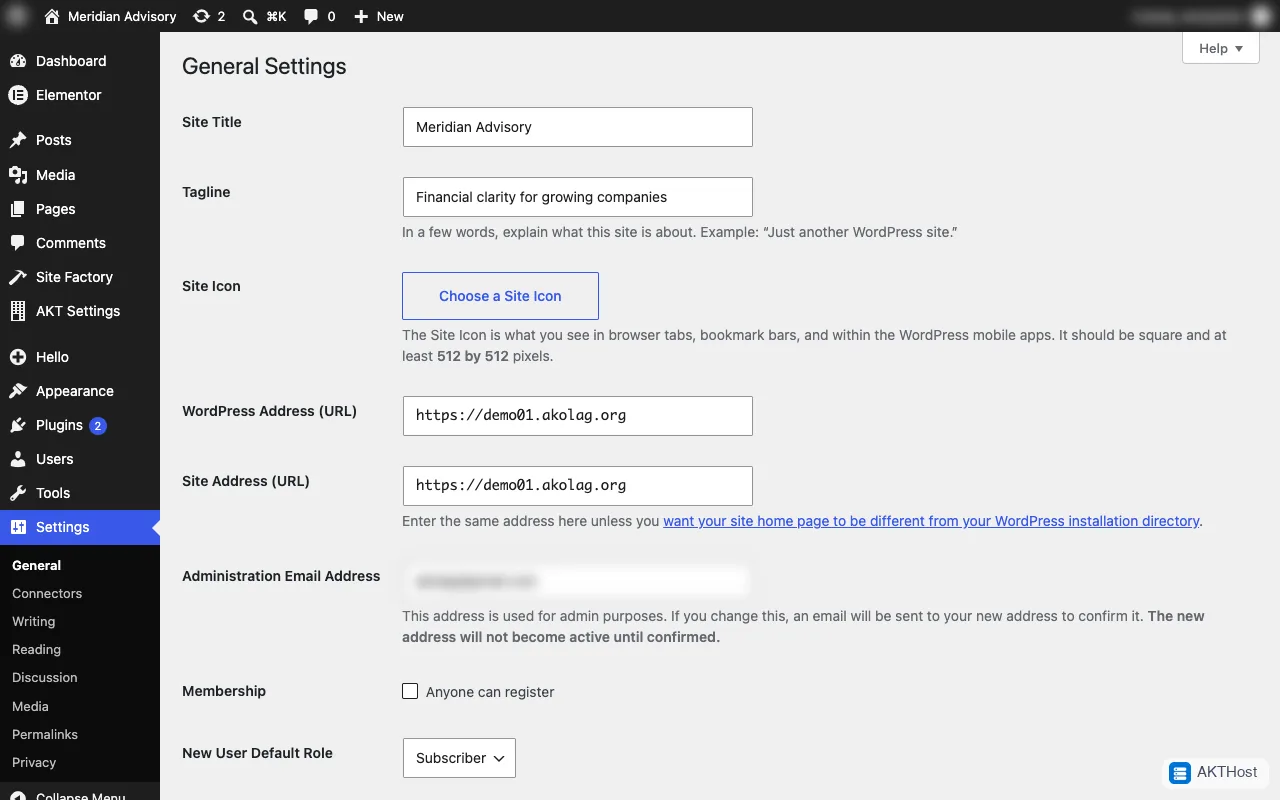 Settings, General: the two address fields are in the middle of the page.
Problems
If the site shows an error, restore your backup and check the folder name in step 5. For a full move of all files to the main folder instead, follow our migration guide or open a support ticket.