Short answer: ICANN requires the owner of a domain to confirm their contact email. If you do not click the verification link within 15 days, the domain is suspended until you do. Find the email, click the link, and your site returns.
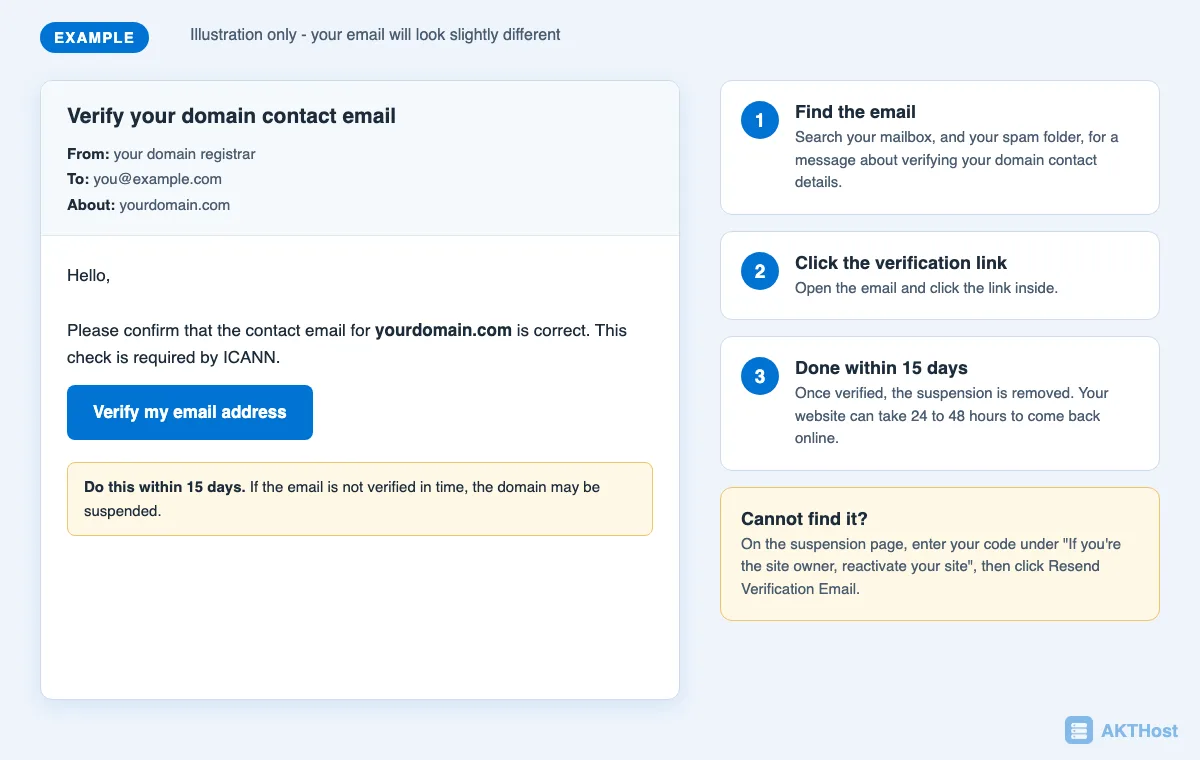
Why am I getting an "ICANN verification" message?
Whenever you register a domain, or change the owner's contact details, there is a one-time check of the owner's email address. The email is genuine and it is not spam. ICANN requires this verification within 15 calendar days.
How to remove the suspension
- Search your mailbox (and spam folder) for an email about verifying your domain contact details. Click the link inside.
- Cannot find it? Open your suspended website. On the suspension page, enter the code under "If you're the site owner, reactivate your site", then click Resend Verification Email.
- Open the new email and click the verification link.
After a successful verification, the suspension is removed. Your website can take 24 to 48 hours to come back online.
Questions people ask
Why was my domain suspended?
ICANN requires the registrant contact details, or any change to them, to be verified within 15 calendar days. If this is not done, ICANN rules require the domain to be suspended until it is verified.
Who is ICANN?
ICANN coordinates the global internet's unique identifiers (such as domain names) and sets the rules that domain registrars and owners must follow.
What is WHOIS?
WHOIS is the public record of who registered a domain. Owners must give their registrar accurate contact details.
Still stuck? Open a support ticket with your domain name and what you see. Please do not put passwords in the ticket.