Short answer: your domain gets a free SSL certificate automatically. To make visitors always use https://, switch on Force HTTPS Redirect in cPanel, or add a short rule to your .htaccess file. In WordPress, also set both addresses to https://.
Check your certificate first
In cPanel open SSL/TLS Status. Your domain should show a valid certificate. If not, run AutoSSL and wait a few minutes.
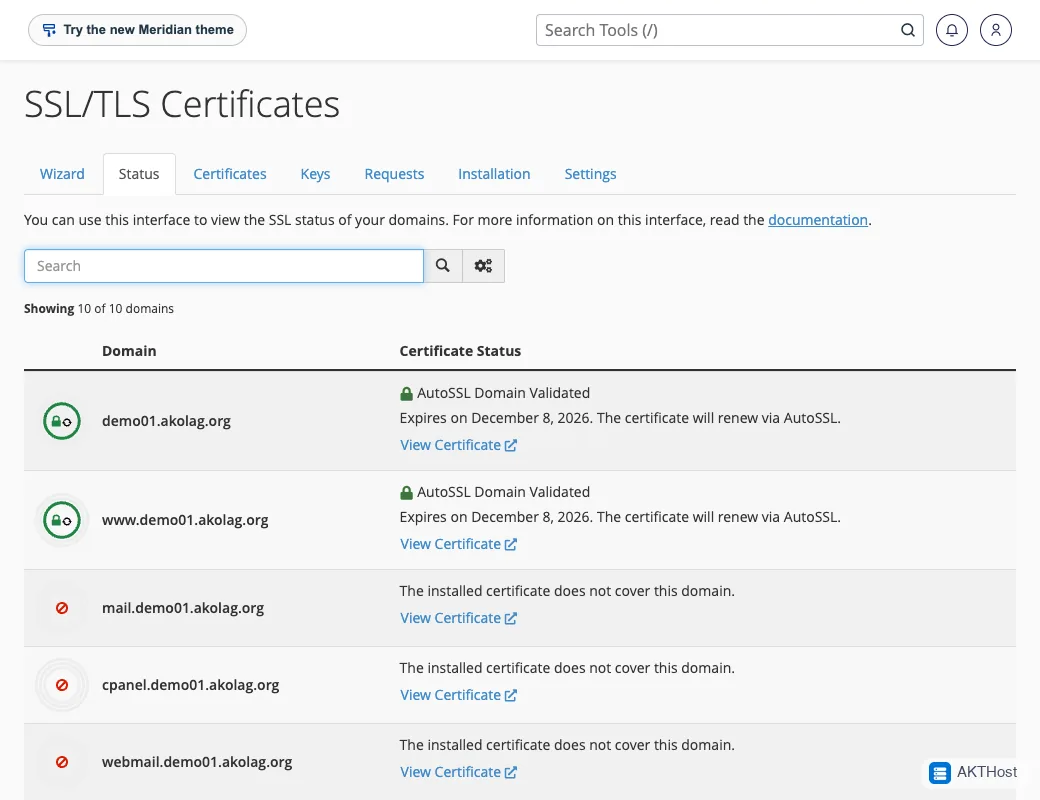 SSL/TLS Status: a green padlock means the certificate is active.
Method 1: cPanel toggle (easiest)
- In cPanel open Domains.
- Find your domain and switch Force HTTPS Redirect on.
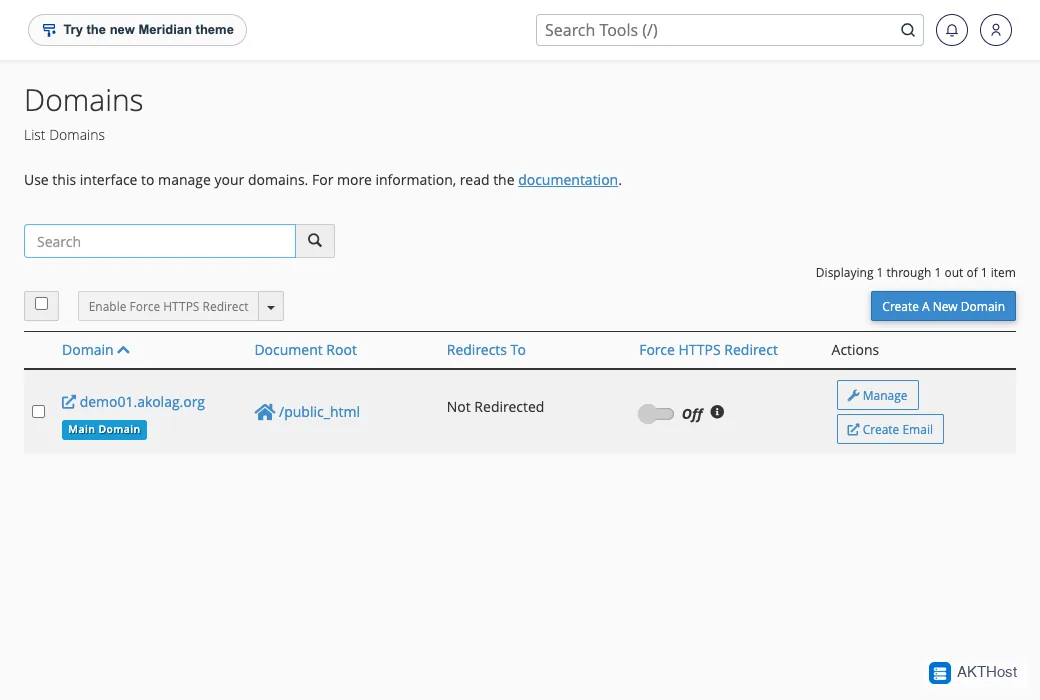 cPanel, Domains: the Force HTTPS Redirect switch is next to your domain.
Method 2: .htaccess rule
- In cPanel open File Manager. Click Settings (top right) and tick Show Hidden Files (dotfiles). Save.
- Open
public_html. Edit the file.htaccess, or create it. The name starts with a dot. - Add these lines at the top:
RewriteEngine On
RewriteCond %{HTTPS} off
RewriteRule ^(.*)$ https://%{HTTP_HOST}%{REQUEST_URI} [L,R=301]
- Save. Type your address with
http://. It should jump tohttps://.
If you use WordPress, keep the WordPress rules that are already in the file. Add the lines above the # BEGIN WordPress line.
WordPress: use https in your settings
Go to Settings, then General. Make both WordPress Address and Site Address start with https://. Save.
Problems
Redirect loop ("too many redirects")
This can happen if two redirects fight each other, for example a plugin and .htaccess, or a CDN set to a mode that talks to your server over http. Remove the extra redirect so only one is left.
Still "Not secure"
An image or script may still load over http://. Re-save the page, update old links to https://, and clear your cache.
Still stuck? Open a support ticket with your domain name and what you see. Please do not put passwords in the ticket.