Short answer: create a mailbox in cPanel, then send through your own mail server (mail.yourdomain.com) on port 465 or 587 with your full email address and password. Use PHPMailer in PHP code, or an SMTP plugin in WordPress. This is more reliable than PHP's built-in mail() and is much less likely to land in spam.
Why use SMTP instead of mail()
- Mail sent with
mail()is often not signed or authenticated, so Gmail, Yahoo and Outlook may put it in spam or reject it. - SMTP logs in with a real mailbox, so the message is authenticated and encrypted.
- You get clear error messages when something fails.
Step 1: Create a mailbox
- Log in to cPanel and open Email Accounts.
- Click Create. Choose an address such as
no-reply@yourdomain.comand a strong password. - Click Create to save.
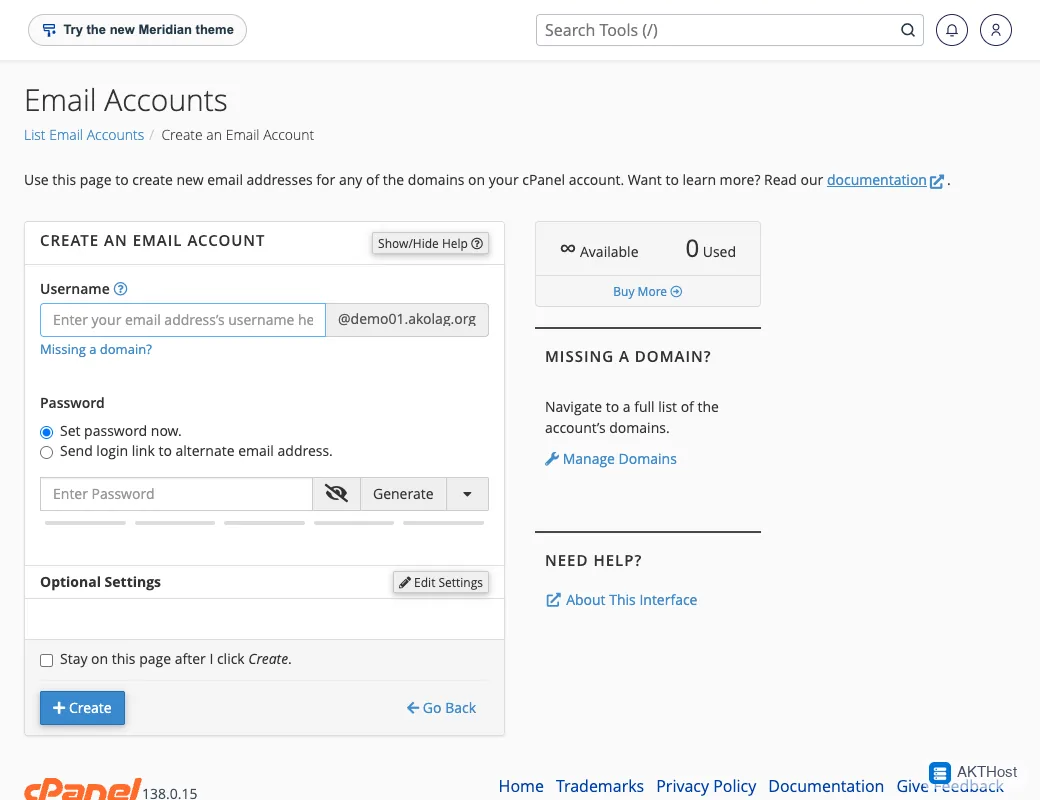 cPanel, Email Accounts, Create: choose the name and a strong password.
Step 2: Note the settings
In Email Accounts, click Connect Devices next to the mailbox. cPanel shows the exact values for your account. Normally they are:
- SMTP host:
mail.yourdomain.com - Port:
465(SSL) or587(TLS) - Username: your full email address
- Password: the mailbox password
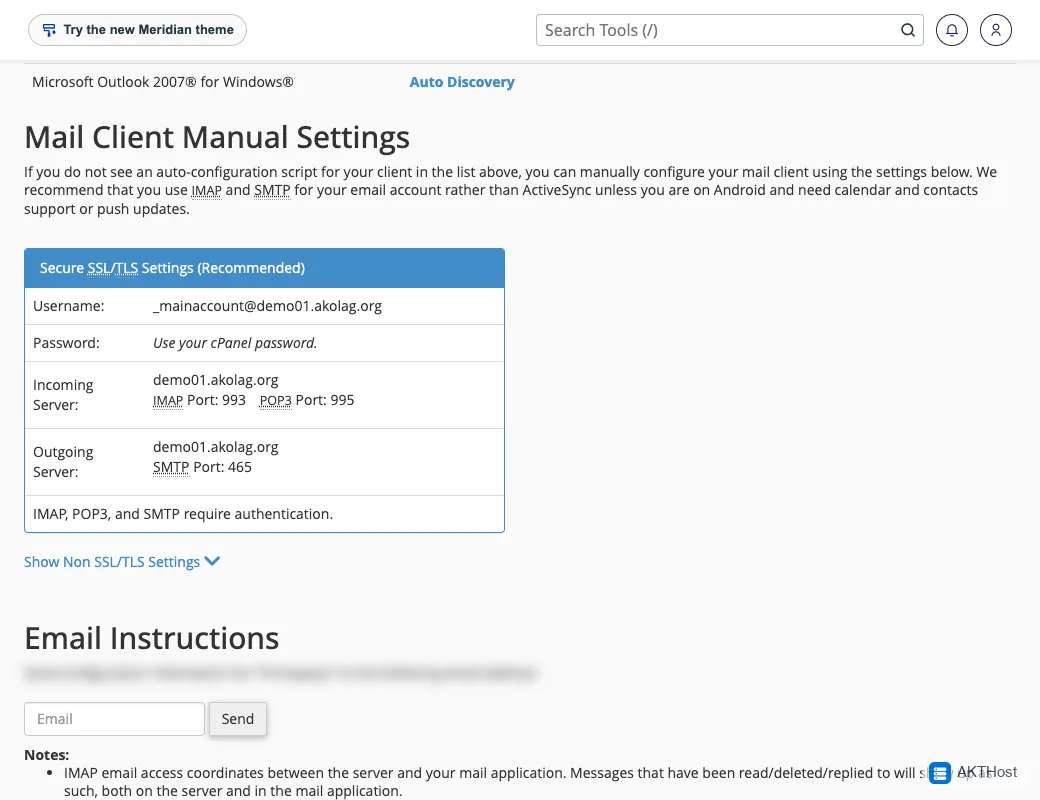 The Connect Devices page shows the server names and ports for this mailbox.
Step 3A: WordPress
- In WordPress go to Plugins, then Add New, and install an SMTP plugin.
- Open the plugin settings and choose Other SMTP.
- Enter the host, port, encryption, username and password from Step 2.
- Set the From address to the same mailbox.
- Send a test email to yourself.
Step 3B: PHP code with PHPMailer
Install PHPMailer with Composer:
composer require phpmailer/phpmailer
Then use it like this:
use PHPMailer\PHPMailer\PHPMailer;
$mail = new PHPMailer(true);
$mail->isSMTP();
$mail->Host       = 'mail.yourdomain.com';
$mail->SMTPAuth   = true;
$mail->Username   = 'no-reply@yourdomain.com';
$mail->Password   = getenv('SMTP_PASSWORD');
$mail->SMTPSecure = PHPMailer::ENCRYPTION_SMTPS;
$mail->Port       = 465;
$mail->setFrom('no-reply@yourdomain.com', 'Your site');
$mail->addAddress('someone@example.com');
$mail->Subject = 'Test';
$mail->Body    = 'It works.';
$mail->send();
Keep the password out of your code. Use an environment variable, or a config file outside public_html.
Using the basic mail() function
If you only need a simple script, mail() works on our hosting without any setup. Send from an address on your own domain, for example From: no-reply@yourdomain.com. Mail sent from another domain is often rejected. For anything important, use SMTP as shown above.
Common problems
Authentication failed
Check that the username is the full email address, and the password is correct. Try logging in to webmail with the same details.
Cannot connect to the server
Check the host name and port. Try 587 with TLS if 465 does not work. Some home or office networks block mail ports.
Certificate or TLS error
Use mail.yourdomain.com only if your domain has a valid SSL certificate. Do not turn off certificate checks in production.
Mail still goes to spam
Make sure SPF, DKIM and DMARC are set for your domain. See How do I verify, check DKIM, SPF, TXT record. Also avoid sending from a different domain than the mailbox.
Can I send newsletters this way?
A hosting mailbox has a sending limit per hour. For newsletters or bulk email use a proper email sending service.
Still stuck? Open a support ticket with your domain name and what you see. Please do not put passwords in the ticket.