Short answer: keep WordPress, plugins and themes updated, use strong logins with two-factor, keep backups outside the server, delete what you do not use, and check your admin list often. Most hacked sites were running old software.
Why this matters
WordPress is used by a very large share of websites, so attackers target it a lot. Protecting your site is the site owner's job. The good news is that a few habits stop most attacks.
The 10 minute checklist
- Update everything. Go to Dashboard, then Updates. Update WordPress, plugins and themes. Turn on automatic updates for the ones you trust.
- Make a backup. Keep a copy on your computer or in cloud storage, not only on the server. See Website backup and recovery from cPanel.
- Use strong logins. Use long, different passwords. Turn on two-factor login for cPanel and for WordPress admins. See How to protect your cPanel and enable two-factor authentication.
- Delete what you do not use. Remove unused plugins and themes, do not just switch them off.
- Check Users. Open Users and click Administrator. Remove names you do not know.
- Install only trusted software. Get plugins and themes from WordPress.org or from the company that makes them.
- Use HTTPS. See How do I redirect my website from HTTP to HTTPS.
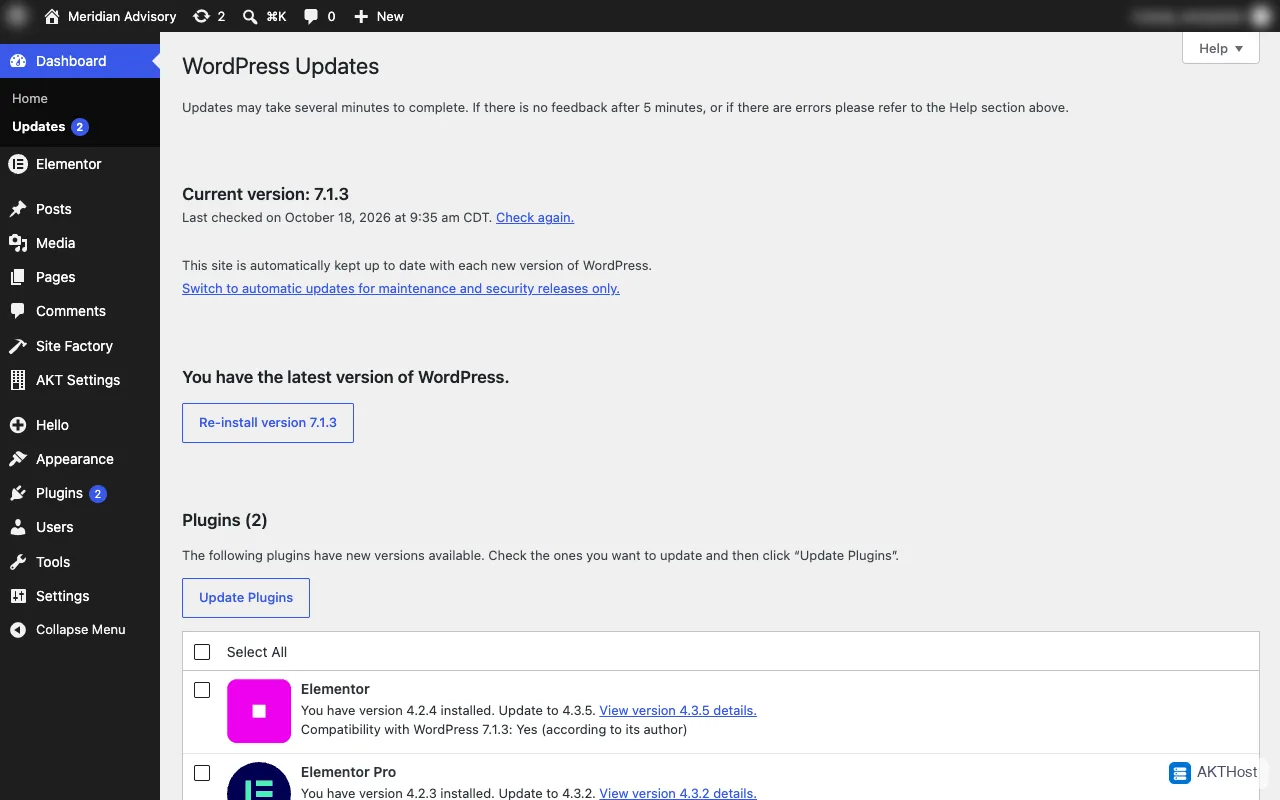 Dashboard, Updates: update WordPress, plugins and themes here.
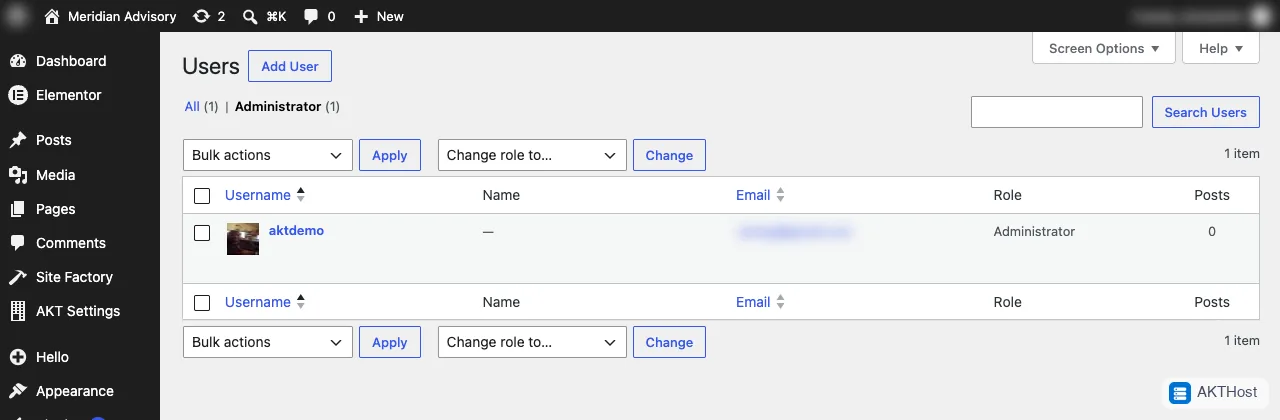 Users, Administrator: remove any name you do not know.
A security plugin?
A security plugin can add login limits and scanning. It is a bonus. It does not replace updates and backups.
If you think you were hacked
Do not delete files in a hurry. Make a backup, change your passwords, update everything, then open a support ticket.
Still stuck? Open a support ticket with your domain name and what you see. Please do not put passwords in the ticket.