
Keep your WordPress site safe: a 10 minute checklist
Short answer: Update, back up, use strong logins, delete unused plugins, and check your admin list every month.
- 1Update
- 2Back up
- 3Strong logins
- 4Clean up
- 5Check admins
Most hacked websites were running old software. Good news: staying safe is mostly a habit. Here are the five things that matter.
The five checks
Tap a check to open it.
1 Update WordPress, plugins and themes
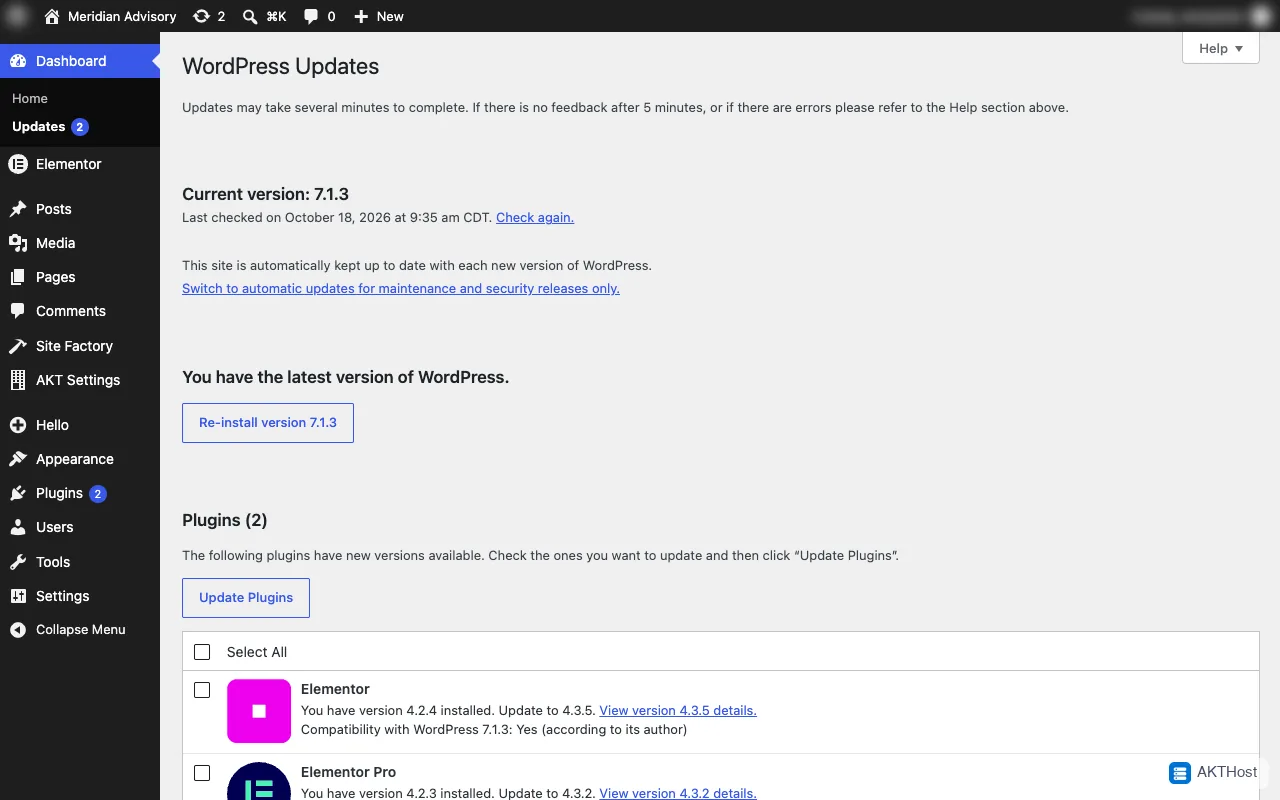
Go to Dashboard, then Updates. Update all. Turn on automatic updates for things you trust.
2 Keep a backup that is not only on the server
Download a backup to your computer or to cloud storage. Do it before every big update.
3 Use strong logins
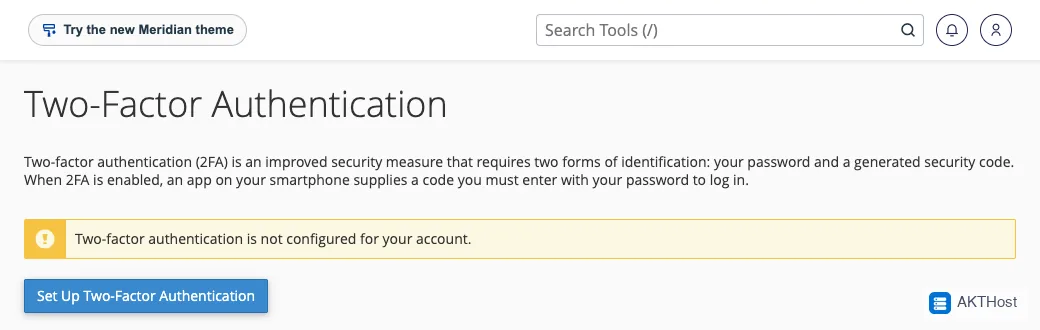
Use a long password you use nowhere else. Turn on two-factor login for cPanel and for admins. Give each person their own account.
4 Delete what you do not use
Every plugin and theme you do not need is a door that can be left open. Delete them, do not just switch them off.
5 Check the admin list
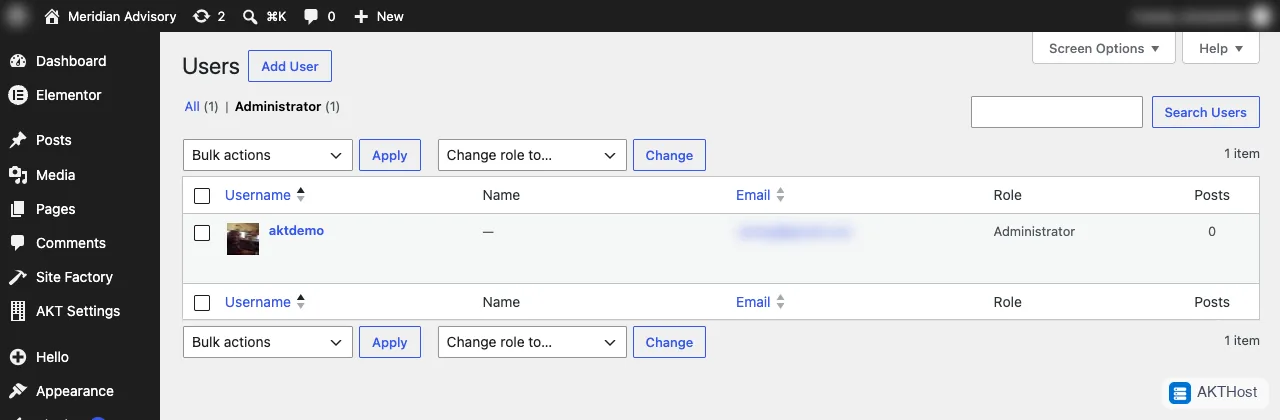
Open Users and click Administrator. Remove anyone you do not know or who left your team.
Do you want a team to do this for you?
Short on time? Read about our WordPress care service and let a team do this for you.
Questions people ask
How often should I do this?
Once a month. Once a week if your site takes orders.
Do I need a security plugin?
Updates, backups and strong logins matter most. A security plugin is a bonus, not a replacement.
Is a free theme from a random website safe?
Not always. Download themes and plugins only from WordPress.org or from the company that makes them.