
WordPress site hacked? What to do, step by step
Short answer: Do not panic-delete. Back up, change passwords, update everything, check admins and plugins, then ask for help.
- 1Back up
- 2Change passwords
- 3Update
- 4Check users
- 5Ask for help
A hacked site feels scary. But there is a clear order of steps that works. Follow them one by one.
Warning signs
- A new Administrator that you do not know.
- Visitors are sent to strange websites, mostly from Google.
- Google shows “This site may be hacked”.
- Pages or products that you never made.
- Friends tell you they got spam email from your domain.
Do not delete files in a hurry. First make a copy, then clean.
What to do, in this order
Tap a step to open it.
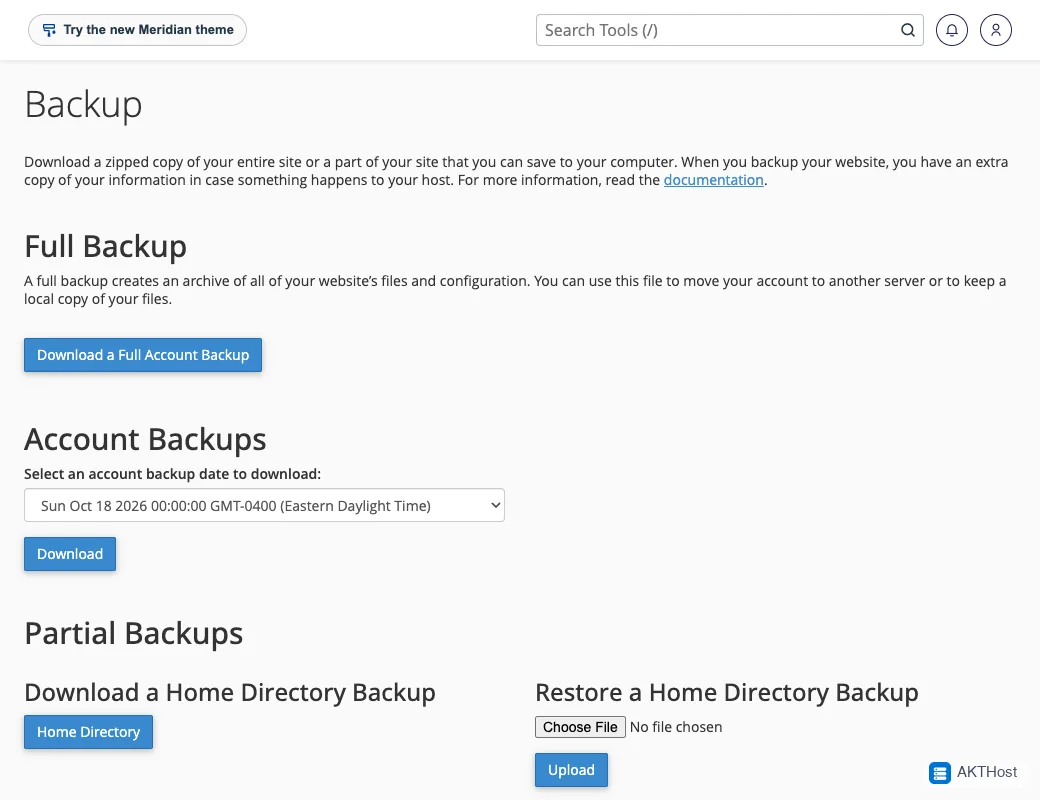
1 Make a backup of the site as it is now
Log in to cPanel and open Backup. Download a full backup to your computer. This keeps the clues safe.
2 Change every password
Change your WordPress admin password, your cPanel password and your email passwords. Use a different long password for each.
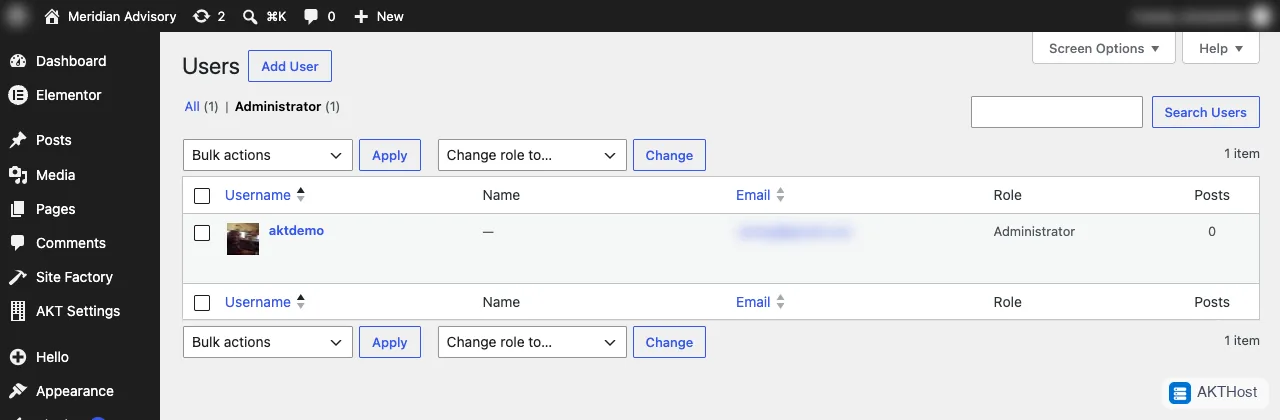
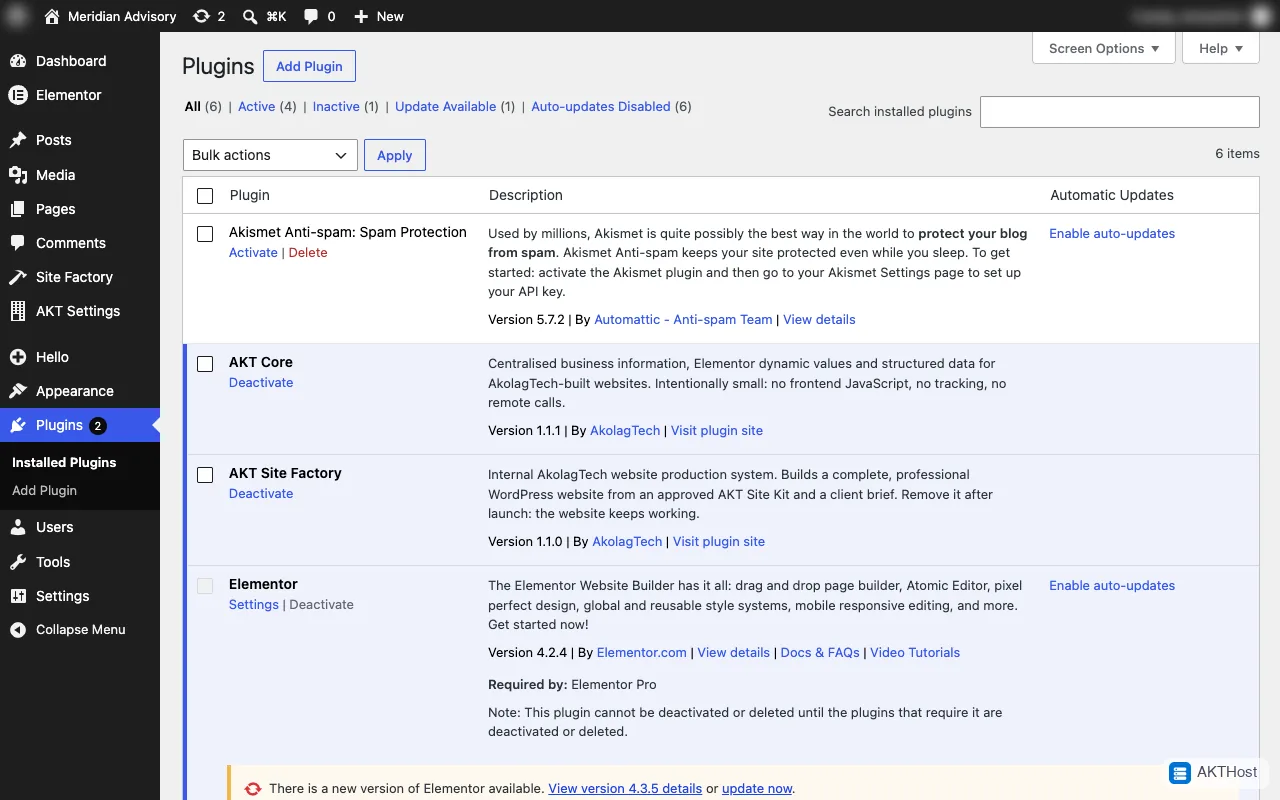
3 Look at Users and Plugins
In WordPress open Users and click Administrator. Write down any name you do not know. Then open Plugins and write down any plugin you did not install.
4 Update everything
Go to Dashboard, then Updates. Update WordPress, plugins and themes. An old version is often how attackers got in.
5 Ask for help
Open a support ticket. Tell us your domain name, what you saw and when you first saw it. Do not send passwords in the ticket.
After the clean-up
- Turn on two-factor login for your admins.
- Delete plugins and themes you do not use.
- Keep updates on. Use our 10 minute safety checklist.
- Read about the recent wp2shell WordPress problem.
Questions people ask
Should I delete the strange files myself?
Not first. Deleting in a hurry can break the site and remove clues. Take a backup first, then ask for help.
Will restoring an old backup fix it?
Only if the backup is older than the hack and you update everything straight after. Otherwise the same hole lets the attacker back in.
Who do I tell?
If your site collects customer details, tell your customers once you know what happened.