
Tip 5 min Updated 2026-10-18
Make your website faster: six changes that matter
Short answer: Shrink images, remove plugins you do not use, use a current PHP version, turn on caching, pick a light theme and measure before and after.
Slow sites lose visitors. You do not need a new design to fix it.
Six changes
- Shrink your images. Images are usually the biggest files. Resize them to the size they are shown at and save them as JPG or WebP before uploading.
- Remove plugins you do not use. Each active plugin adds work. Delete the ones you do not need.
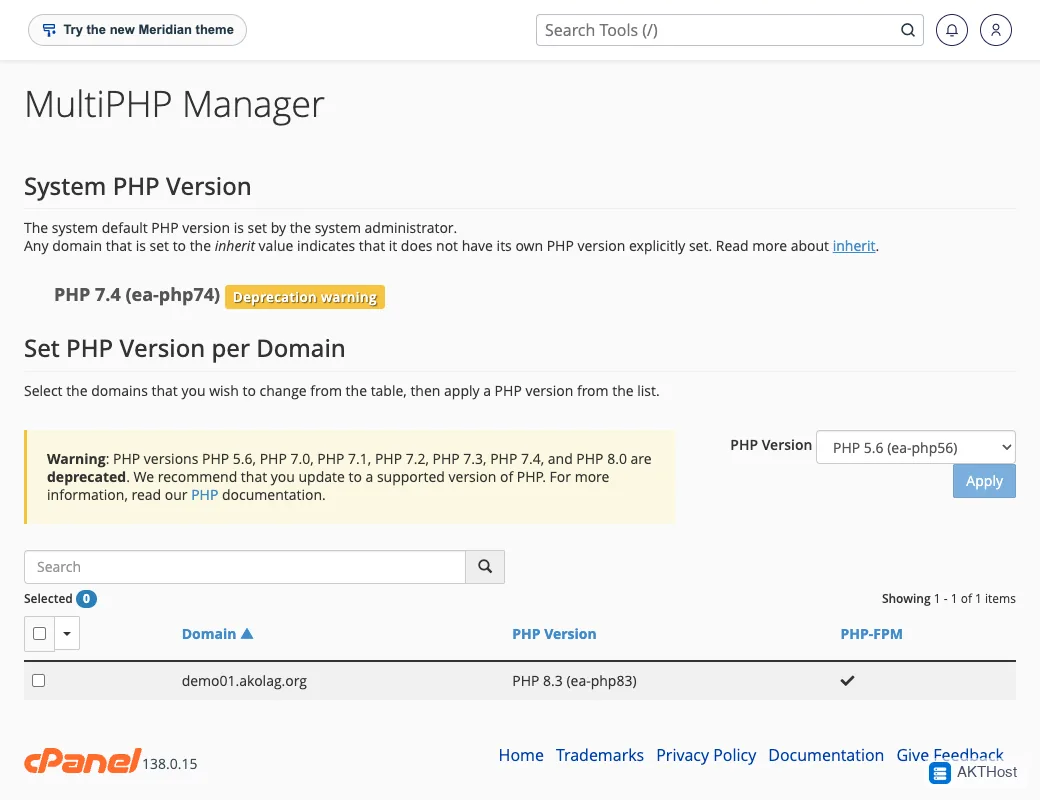
- Use a current PHP version. Newer PHP is faster and safer. See Change your PHP version.
- Turn on caching. A caching plugin saves finished pages so they load quickly. Use only one.
- Pick a light theme. Heavy multi-purpose themes load a lot of code you never use.
- Measure. Test your page in Google PageSpeed Insights on mobile before and after, so you know what helped.
Check your PHP version
Keep it fast
Keep things updated too: How to update WordPress safely.
Questions people ask
How do I measure speed?
Run your page through Google PageSpeed Insights before and after each change, on mobile.
Will a bigger plan make my site faster?
Only if you are hitting limits. Most slow sites are slow because of big images and heavy plugins.