
Tip 5 min Updated 2026-10-18
A 15 minute monthly routine to keep your website safe

Short answer: Once a month: back up, update everything, check admins, test the site. Do it weekly if the site takes orders.
The routine
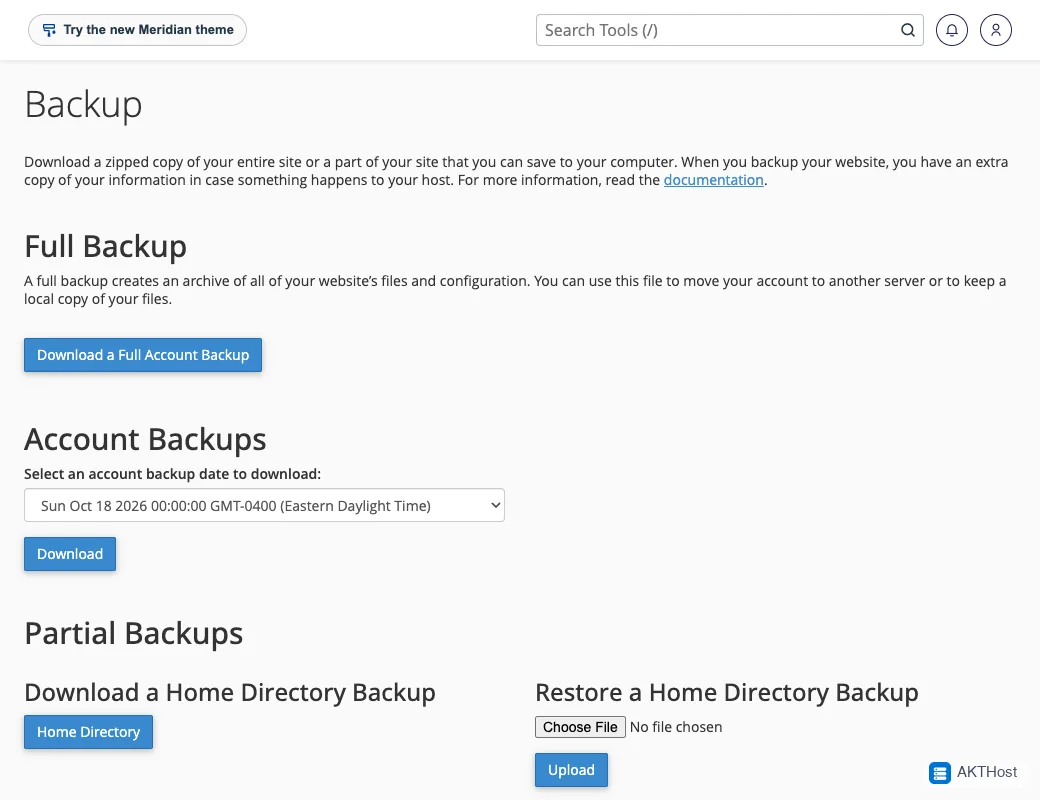
- Back up (5 minutes). See Back up your site.
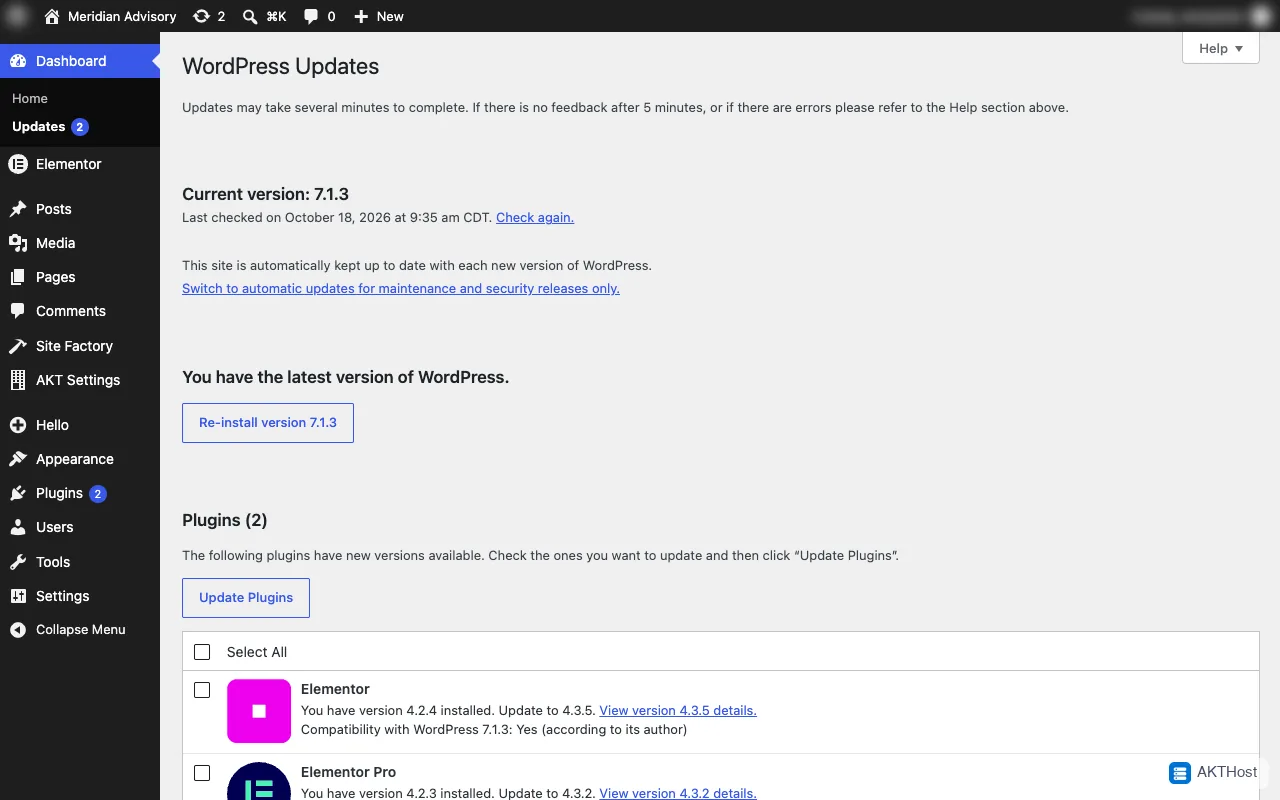
- Update WordPress, plugins and themes (5 minutes). See Update safely.
- Check Users for strangers (1 minute).
- Delete one plugin or theme you do not use (1 minute).
- Test the home page, a form and checkout (3 minutes).
Where to click
Make it a habit
Put it in your calendar. If you would rather have a team do it, look at our WordPress care.
Questions people ask
I do not have time. What are my options?
Look at our WordPress care service in the store, or set a calendar reminder and use the checklist.